Halaman

Selamat Datang di blog ini

Slamat Datang di blog ini
pradana aditiya

Minggu, 16 Desember 2012

PLANTS VS ZOMBIES


Plants vs Zombies 1.3.16 + sd files (Android)


Plants vs Zombies 1.3.16 + sd files (Android) - 80 MB


Stem a zombie attack on your Android!
Get ready to soil your plants in the hit PopCap® strategy game Plants vs. Zombies! A mob of fun-loving zombies is about to invade your home, and your only defense is an arsenal of 49 zombie-zapping plants. Use peashooters, wall-nuts, cherry bombs and more to slow down, confuse, weaken and mulchify 26 types of zombies before they can reach your front door.

Requirements: Android OS 1.5 + 

Game Features
• Conquer all 50 levels of Adventure mode — through day, night and fog, in a swimming pool and on the rooftop
• Battle 26 types of zombies including pole-vaulters, snorkelers and bucket-heads
• Earn 49 powerful perennials and collect coins to buy a pet snail, power-ups and more
• Open the Almanac to see all the plants and zombies, plus amusing “facts” and quotes
• Collect 10 fun-dead achievements
• Enjoy all the zombie-zapping fun of the hit PC/Mac game — fully optimized for Android!
• Hilarious graphics, great soundtrack and a bonus music video

Download

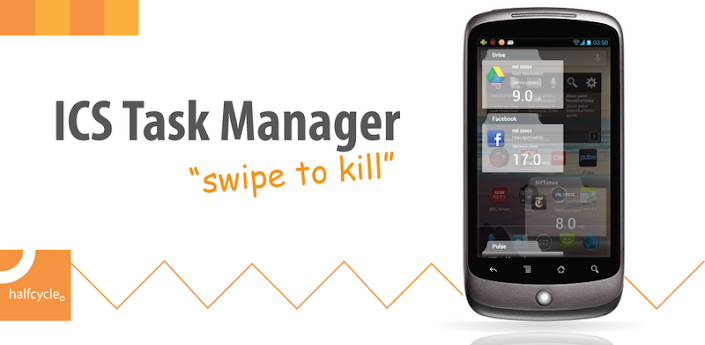
ISC TASK MANAGER [SWIPE TO KILL]


ISC TASK MANAGER [SWIPE TO KILL]


ICS Task Manager


Just install like any normal apk.

Download LInk


OR

GOOGLE PLAY LINK


Description

"Swipe to kill" Finally This Feature on all Phones Because of this fantastic app .
ICS Task Manager is a tool to clean your memory by killing running applications.

Features

- Swipe to kill action like ICS
- QuickLaunch for faster access
- Option to choose all or recommended kills
- WhiteList to filter apps
- Click and kill a

OVERCLOCK GALAXY YOUNG 1.2ghz


Today I have come with a super great trick tested on Samsung Galaxy Y which helps us to overclock your Samsung Galaxy Y to 1.2 GHz. below giving 2 procedure see which one you like.  I earlier posted a guide to Overclock Samsung Galaxy Y to 900 MHz but the today one is more speedy and MERRUK'S KERNEL 2.5 STABLE Installation .

This Kernel is tested and is successfully working on Stock Deodexed ROMs and is working on some Custom ROMs like USSR v5 (Untested on v6). If you are stuck into bootloops then please don’t blame me because the kernel was not made by me. It was made by @Maroc-OS on XDA-Developers.

This risk of overclocking is there. Please be caution while overclocking. i am not responsible for any damage to your device. This is only made for Samsung Galaxy Y and not for it’s duos, pro duos or pro version.


1st procedure :

Steps to overclock :-
  • Download the Merruk 2.5 kernel and Kernel updater script
  • Put both the files in Micro-SD Card
  • Switch off your phone
  • Boot into recovery by pressing Volume up, Home Button and Power Button together and leaving all these three buttons when you see Samsung Logo
  • Navigate via Volume buttons and select “Install zip from SD Card” by pressing Home Button.
  • Locate the kernel_update.zip and flash it
  • Now Reboot your phone.
  • Install No-Frills CPU from Google Play store and overclock your phone via this by changing the max speed of your processor.

2nd procedure :

Steps to overclock :-

  • Reflash Fresh Stock DXLF Rom
  • Enter Cwm Recovery (Permanent) or (Temporary)
  • Go to Backup & Storage then Select Backup
  • Then Install EXT4Final.zip Via Cwm
  • Reboot to Download Mode & Install Using Odin Pda.merruk.tar Via Pda (Leave others black like Phone and CSC)
  • Reboot to Recovery, now you have a  Permanent Cwm
  • Goto Backup & Storage then Select Advanced Restore then Seclect the Latest Backup then Restore System
  • When Installation is Complete, Wipe cache/data
  • Reboot Device (Note: Bootanimation  Doesn't work)
  • After Booting Sucessfully, Using Adb Push Command to push all files from Kernel_Modules.zip
  • Reboot.


Read more: http://www.galaxy4gaming.in/2012/10/overclock-samsung-galaxy-y-to-12-ghz-by.html#ixzz2F8Hbyl7T 
Follow us: @galaxy4gaming on Twitter | galaxy4gaming on Facebook

CARA MAIN GAME HD DI GALAXY YOUNG

gangstarwestcoast2.jpg

Bagi Anda Pengguna Hp Android yg jenis HH nya tidak di khususkan buat nge-game, seperti pada tipe Samsung Galaxy Y S5360, tentu anda merasa kesal karena ada beberapa game hd yg tidak berjalan lancar di HH anda.


Tetapi sekarang anda tidak perlu kesal lagi karena ada sebuah Aplikasi bernama CHAINFIRE 3D yang kegunaan nya ialah agar game2 HD dapat berjalan dgn lancar jaya di HH anda smile

Langsung saja tanpa panjang lebar saya jelaskan kita simak saja cara instalasi nya :

1. HH harus dalam keadaan Root
2. Download Chainfire3d+plugins nya disini :

127x31-logo.gif

3. Ekstrak file rar yg anda download, di situ ada folder plug-ins,lalu ekstrak lagi folder tsb d dalam nya terdapat 3 file zip.
4. Copy ke 3 file zip tsb ke : sdcard/taruh disini.
5. instal chainfire3d pro v.3.3 apk
6. Buka chainfire 3D ,lalu install CF3D driver and reboot
7. Setelah restart buka lagi chainfire 3D
8. Pilih install plugins,tunggu beberapa saat

1.png

9. instal ke 3 plug ins.

Cara Pakai :


1. Buka Chainfire 3D.
2. Klik "Default OpenGL settings".
3. Centang "reduce text quality (bila perlu centang juga reduce text size)".

1.png

4. Klik "use plugin".
5. Pilih plugin yg ingin anda pakai,(biasanya Qualcomm)
6. Minimize Chainfire 3D (caranya tekan tombol home).
7. Mainkan game HD.